Why Cloud-Based HR Systems Are Essential for Contractors
I used to think cloud-based HR systems were just a fancy rebranding of old HR software. You know, the same spreadsheets and leave trackers, but now accessible from any device. Great for tech startups, maybe. But for contractors running sites across India or the GCC? It felt unnecessary. After all, HR was about boots-on-the-ground problem-solving, not some dashboard. Payroll delays? Call the accountant. Attendance issues? Have the site manager track it. Why complicate things?
Then I saw the chaos of a mid-sized contractor managing 15 active projects in real time.
What Changed My Mind
It was a project site in Gujarat. A ₹120 crore job with 300 workers spread across three shifts. The client had strict milestone deadlines, and penalties for delays were steep. But the real problem wasn’t the project timeline—it was the payroll. Workers were furious about late payments. Site managers spent hours every week chasing attendance records. And when the finance team finally processed payroll, it was full of errors. Some workers were overpaid, others underpaid. The ripple effects were immediate: absenteeism spiked, productivity nosedived, and the company lost almost ₹15 lakh to penalties that quarter alone.
The CFO pulled me into a call. “We need to fix this. Yesterday.” That’s when I realized the problem wasn’t the people—it was the system. Or rather, the lack of one.
Why the Old Belief Survived So Long
To be fair, manual HR processes had worked in the past. In smaller companies with only one or two sites, paper attendance sheets and Excel payroll templates could get the job done. Even when things went wrong, the fallout was manageable:
- Late payments? Apologies and a quick adjustment.
- Compliance errors? A quiet fine from the tax department.
But scale changes everything.
The Bottlenecks of Manual Processes
-
Payroll Errors Multiply A single payroll error doesn’t just cost a few hundred rupees—it can trigger worker strikes, project delays, and reputational damage. Multiply that error across hundreds of workers, and the impact grows exponentially.
-
Compliance Becomes a Minefield Missing TDS filings across multiple sites isn’t just embarrassing; it’s a legal risk. And when your workforce spans multiple states—or even countries like the GCC—you’re suddenly dealing with a web of tax laws, wage variations, and overtime rules.
-
Time Drains on HR Teams Site managers and HR teams spend hours manually consolidating attendance, calculating wages, and fixing errors. This time could be better spent on higher-value tasks like recruitment or workforce planning.
-
Data Silos Data collected from different project sites often stays in silos. Without a centralized system, decision-makers lack real-time insights into workforce productivity, absenteeism, or cost overruns. By the time these issues are discovered, it’s often too late to take corrective action.
-
Inefficiencies Compound Manual processes often lead to repeated errors because of a lack of standardization. For instance, site managers may use different formats for attendance reporting or miscalculate overtime, which creates confusion and delays for payroll teams.
The old system wasn’t built for this complexity. It was reactive, not proactive.
What I Do Differently Now
The first step was finding a cloud-based HR system that could handle multi-site operations. Not just any system—a contractor-specific one. That meant it had to support:
1. Real-Time Attendance Tracking
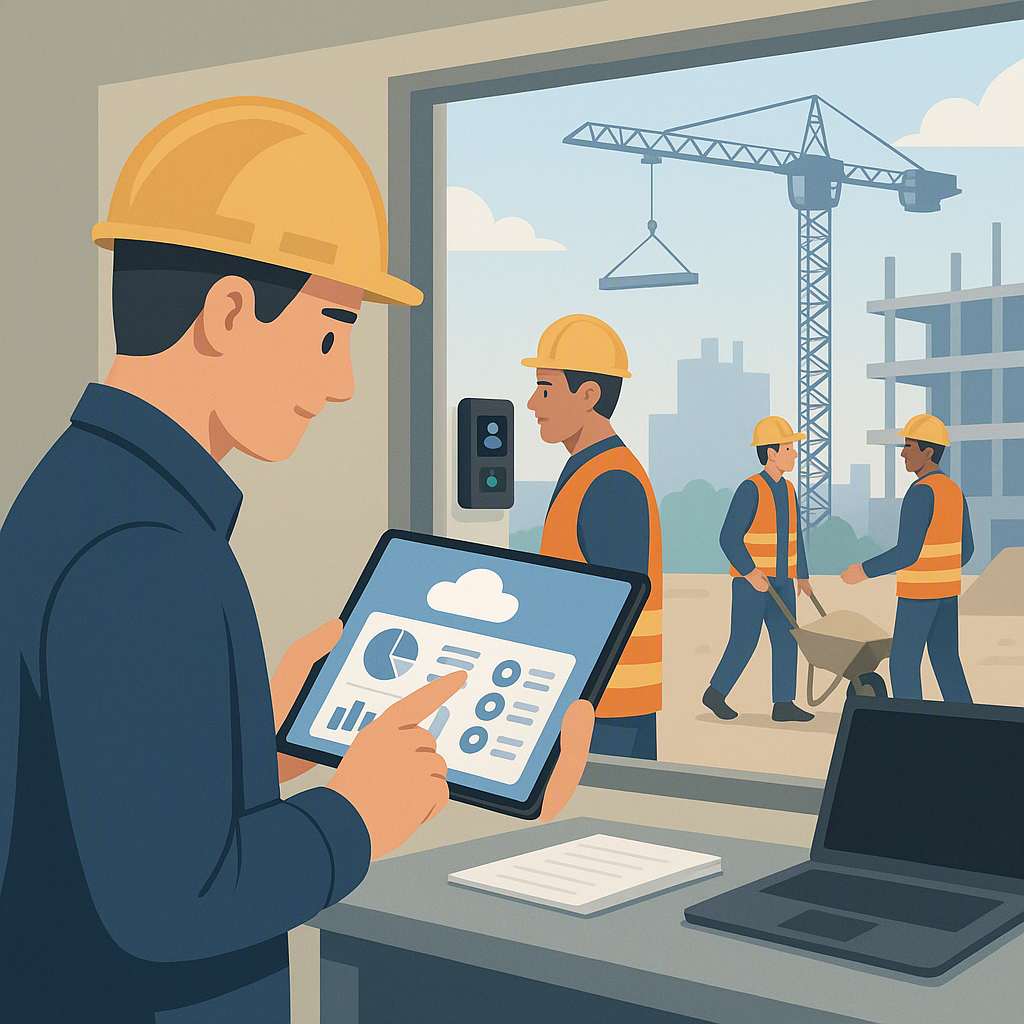
Workers clock in and out using biometric devices or mobile apps, with data syncing instantly to a central dashboard. This eliminates the need to chase site managers for records. For instance:
- Biometric devices ensure accurate time logs by eliminating the possibility of buddy punching or manual errors.
- Mobile apps allow remote clock-ins for workers in isolated areas, even in regions with limited infrastructure.
- Geofencing ensures that workers can only log their attendance when they are physically present at the job site.
2. Automated Payroll
The system calculates wages, overtime, and deductions (PF, ESI, TDS) automatically, based on attendance data. Errors? Practically eliminated. For contractors operating in the GCC, the system must also handle Wage Protection System (WPS) compliance, ensuring wages are deposited into workers’ accounts through approved banking channels.
Key features include:
- Real-time tracking of payroll costs by project or site.
- Automated statutory deductions based on local laws, reducing compliance risks.
- Customizable payroll configurations to account for various shifts, overtime, and project-specific allowances.
3. Compliance Integration
GST filings, TDS submissions, and statutory deductions should be built into the process. For GCC contractors, WPS compliance ensures that workers are paid through approved channels, avoiding fines and penalties. With built-in compliance, HR teams no longer need to manually track deadlines or calculate deductions.
- India-Specific Compliance: PF, ESI, TDS, and GST filings are automated to ensure timely submissions.
- GCC-Specific Compliance: WPS ensures payments are processed through approved systems, avoiding legal penalties.
- Audit Trails: All compliance-related activities are logged in the system, making audits smoother and more transparent.
Why I Chose ProjectsNext
ProjectsNext’s HR module ticks these boxes. It supports attendance tracking via its AttendanceNext app, which integrates with biometric devices. Payroll is automated, with support for GCC-specific rules like WPS. And compliance? The built-in Tally integration ensures GST and TDS filings are on point. Source: JobNext.ai
Actionable Steps to Implement a Cloud HR System
-
Audit Your Current Processes
- Identify where manual errors and delays occur (e.g., attendance tracking, payroll, compliance).
- Map out your current HR workflow to identify pain points.
-
Choose a Contractor-Specific System
- Look for features like biometric integration, automated compliance, and multi-site support.
- Compare vendors based on implementation timelines, customization options, and ongoing support.
-
Train Your Team
- Ensure site managers and HR teams understand how to use the system effectively.
- Offer hands-on training sessions and create a quick-reference guide for common tasks.
-
Monitor and Optimize
- Use dashboards to track key metrics like absenteeism, payroll errors, and compliance filings.
- Schedule monthly reviews to assess system performance and identify further optimization opportunities.
-
Start Small
- Roll out the system at one or two sites initially to identify challenges and fine-tune processes before scaling across the organization.
What Being Wrong Cost
Looking back, my resistance to cloud HR systems was costly—not just for the Gujarat project, but for others like it. The delays, errors, and penalties could’ve been avoided if we’d adopted a better system earlier.
But I’ll admit, I’m still not convinced about one thing: vendor lock-in. What happens if a cloud provider shuts down or hikes prices? For now, the benefits outweigh the risks. But I’d keep a backup plan—always.
Comparison: Manual vs. Cloud-Based HR Systems
| Feature | Manual Process | Cloud-Based HR System |
|---|---|---|
| Attendance Tracking | Paper sheets, prone to errors | Real-time biometric or app data |
| Payroll Accuracy | High error rates, manual checks | Automated, error-free |
| Compliance Management | Manual filings, risk of penalties | Built-in automation |
| Multi-Site Support | Disconnected, siloed data | Centralized dashboard |
| Scalability | Limited to small operations | Easily scales with growth |
If you’re dealing with payroll chaos or compliance headaches, ProjectsNext’s HR module can help. Get started free →
Learn more at JobNext.ai - Construction ERP